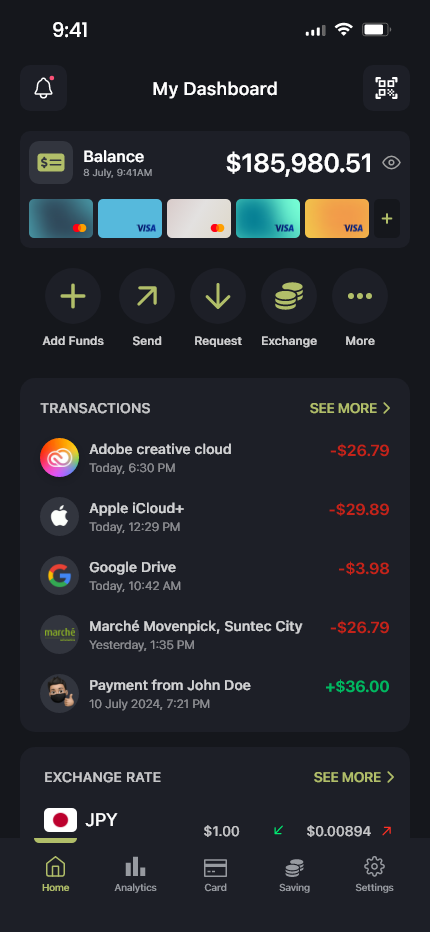
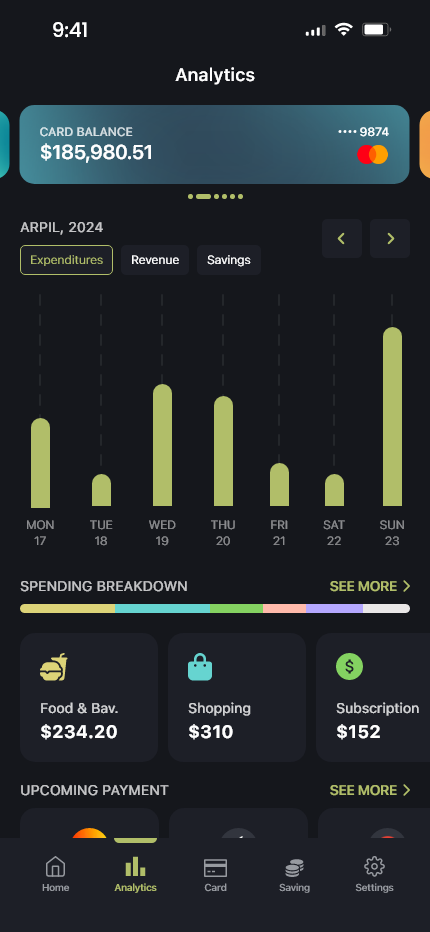
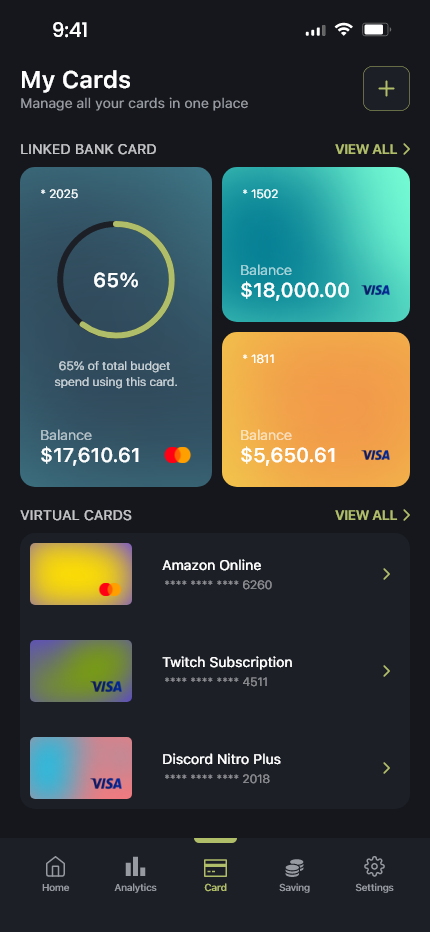
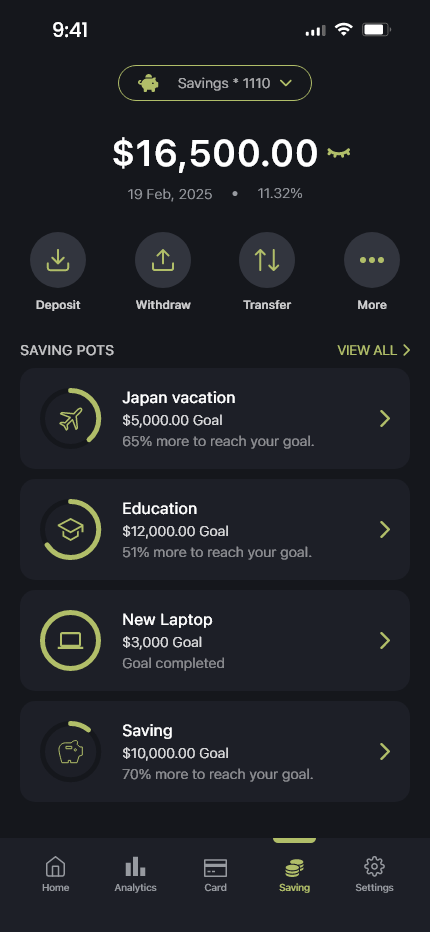
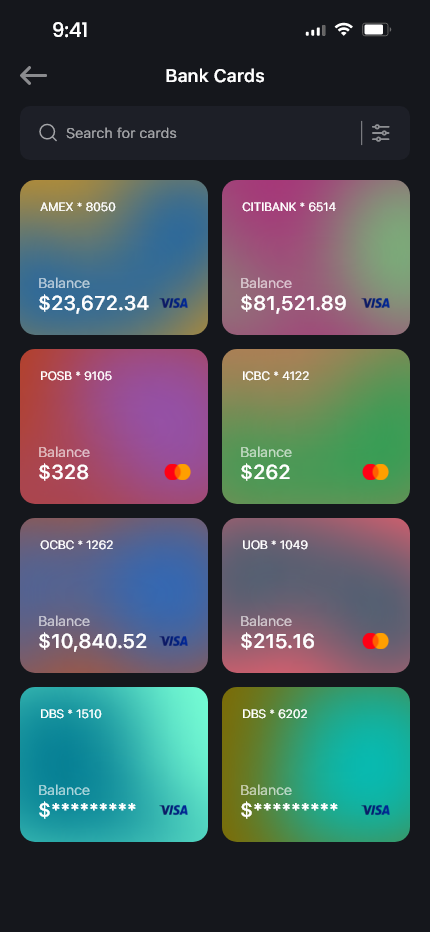
Designed a personal finance management app that enables users to track income, expenses, and budget goals through an intuitive, user-centered interface, making everyday financial management simple and efficient.
IOS
Lead Designer
4 Weeks (Q1 2025)
Adobe XD
Many students struggle to manage their daily spending due to limited budgeting experience, inconsistent expense tracking, and multiple payment methods.
Existing finance applications often include unnecessary complexity, making it difficult for users to quickly understand their financial situation and develop healthy spending habits.
Design an intuitive interface that enables students to quickly record income and expenses with minimal effort.
Provide clear budgeting tools and savings goals that help users stay within their monthly spending limits.
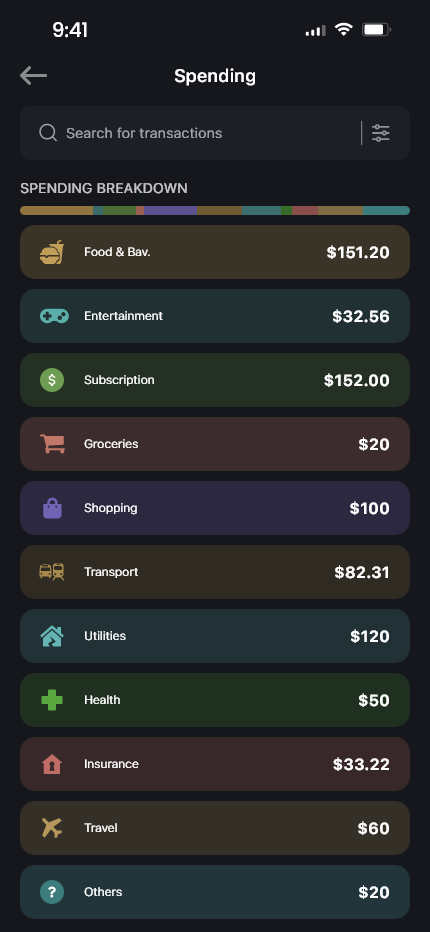
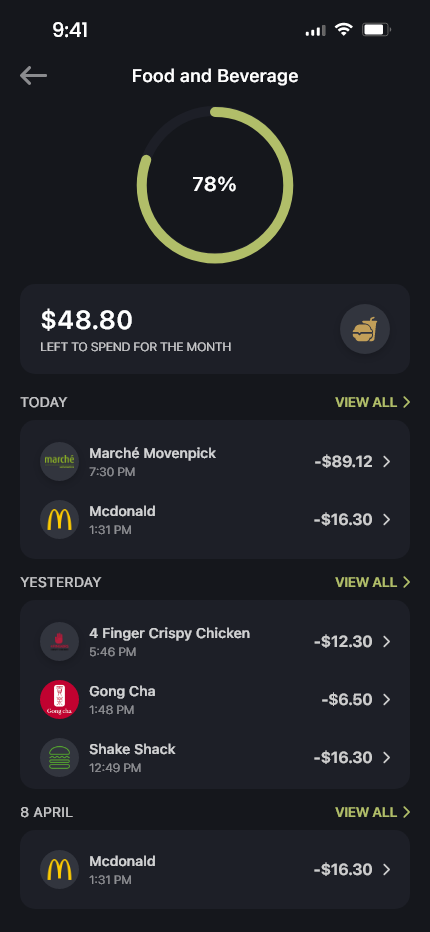
Present spending insights through clean dashboards and visual analytics, allowing users to better understand their financial behavior.
Students frequently forget to record small daily purchases.
Most users want faster expense logging.
Budget planning feels overwhelming when too many categories exist.
| App Competitor | Primary Strength | Key Weakness | Pulse Opportunity |
|---|---|---|---|
| Mint | Comprehensive financial overview | Dashboard feels cluttered | Simplified dashboard with quick expense logging |
| YNAB | Excellent budget planning | Steep learning curve | Faster onboarding for first-time budgeters |
| Spendee | Clean expense visualization | Limited personalization | Smarter budgeting with personalized insights |
Tech Literacy: High
Device: iPhone 15 Pro + Apple Watch
Activity Level: Spending on a daily basis
Amanda wants to stay within her monthly allowance, build healthier spending habits, and save consistently for future purchases. She values a simple solution that allows her to track daily expenses effortlessly while maintaining control over her finances.
Amanda often forgets to record small daily purchases, causing her to overspend without realizing it. She finds many existing finance apps overly complicated and struggles to consistently manage a monthly budget.
Amanda is motivated to become financially independent by improving her money management skills and reaching her savings goals faster through better budgeting and spending awareness.
Searches for a budgeting app after frequently exceeding her monthly allowance.
Creates an account, sets a monthly budget, and defines savings goals.
Logs daily income and expenses while reviewing spending summaries.
Analyzes monthly reports, adjusts spending habits, and plans future savings.
Digital Wallet, Budget & Expense Tracking Application
├── 1.0 Dashboard (Financial Overview)
│ ├── 1.1 Current Balance
│ ├── 1.2 Monthly Budget Progress
│ ├── 1.3 Recent Transactions
│ └── 1.4 Quick Add Expense
├── 2.0 Transactions
│ ├── 2.1 Expense History
│ ├── 2.2 Income History
│ ├── 2.3 Transaction Details
│ └── 2.4 Search & Filters
├── 3.0 Budget Planner
│ ├── 3.1 Monthly Budget
│ ├── 3.2 Spending Categories
│ ├── 3.3 Budget Progress
│ └── 3.4 Spending Alerts
├── 4.0 Savings Goals
│ ├── 4.1 Goal Creation
│ ├── 4.2 Savings Progress
│ └── 4.3 Goal Milestones
├── 5.0 Wallet
│ ├── 5.1 Linked Bank Accounts
│ ├── 5.2 Virtual Cards
│ └── 5.3 Payment Methods
├── 6.0 Analytics
│ ├── 6.1 Spending Breakdown
│ ├── 6.2 Income vs Expenses
│ ├── 6.3 Monthly Reports
│ └── 6.4 Financial Insights
├── 8.1 Personal Profile
├── 8.2 Account Settings
├── 8.3 Notification Preferences
├── 8.4 Security
│ ├── Face ID / Fingerprint
│ ├── Passcode
│ ├── Two-Factor Authentication
│ └── Connected Devices
├── 8.5 Privacy Settings
├── 8.6 Language
├── 8.7 Appearance
└── 8.8 Log Out
SF Pro Display
12px / Medium
16px / Regular
18px / Semibold
24px / Semibold
32px / Bold
Rounded Outline Icons / 24px by 24px
Lucide, SF Symbols, Material Symbols
12px / Small Card
18px / Medium Card
24px / Large Card
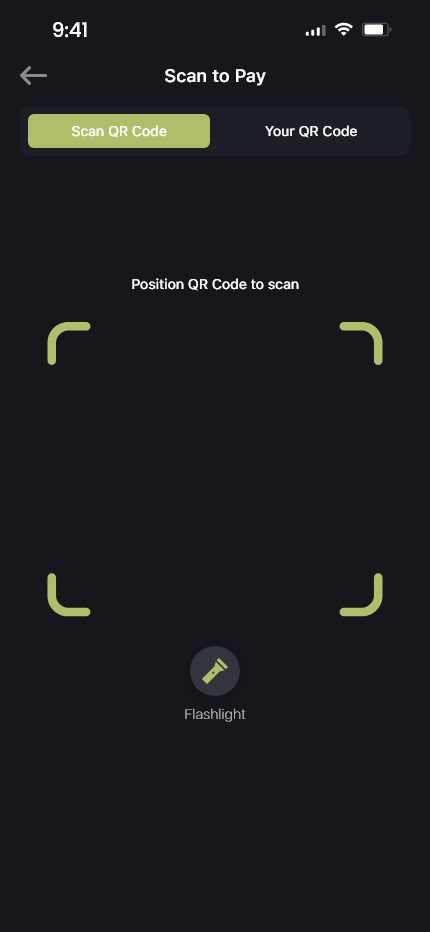
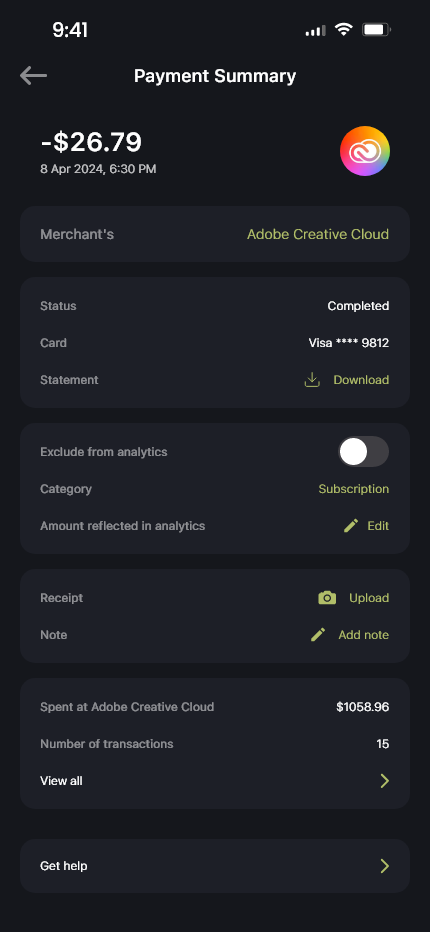
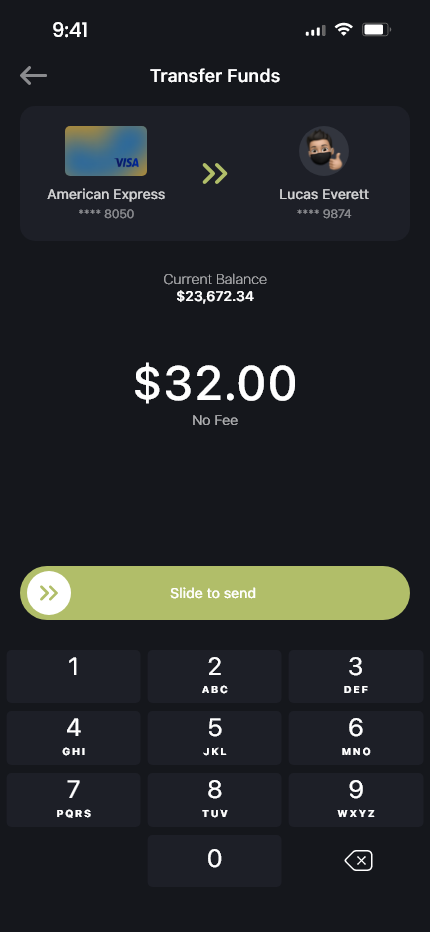
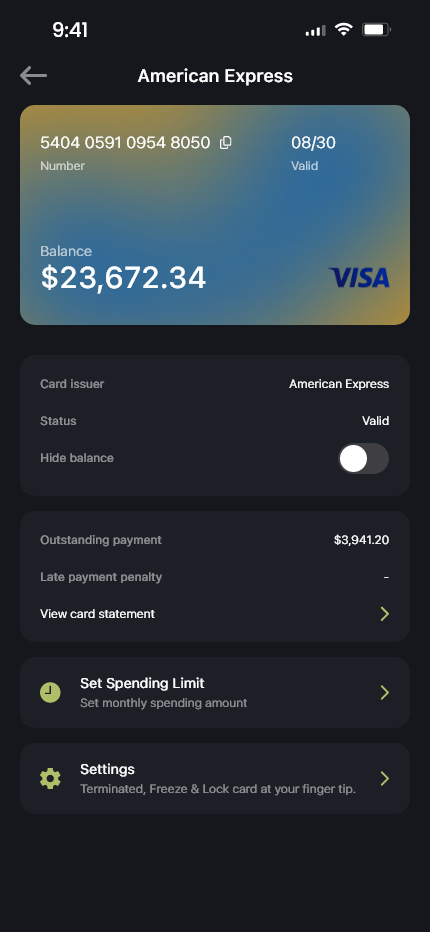
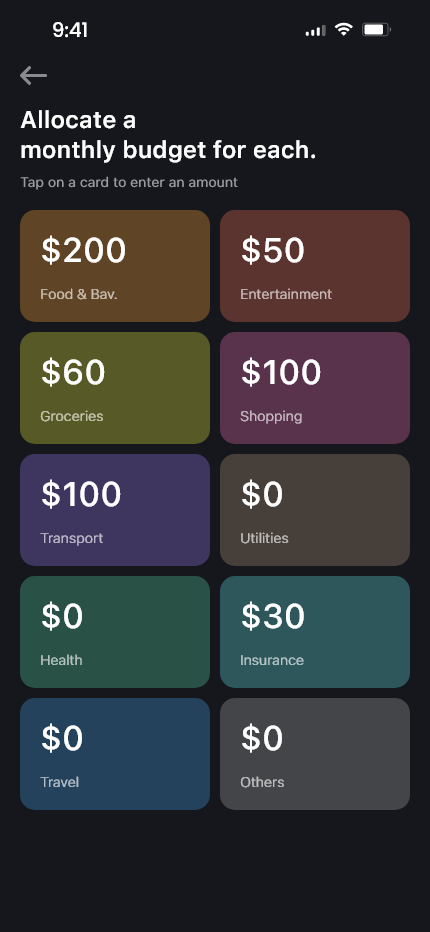
Users struggled to locate the expense logging button.
Budget setup contained too many input fields.
All primary text elements pass minimum 7:1 contrast ratios for legibility on dark background surfaces.
Typography follows a clear visual hierarchy to improve scanning and comprehension.
Interactive elements were designed to accommodate users with varying levels of motor control.
All essential interface components include descriptive accessibility labels to improve navigation for screen reader users.
Navigation patterns remain consistent across the application to reduce cognitive load and improve learnability.
Financial data entry was designed to minimize user errors through clear validation and immediate feedback.
Interactive elements provide immediate visual responses, ensuring users understand the result of their actions.
The interface adapts across various screen sizes while maintaining readability and usability.
The application was designed to reduce cognitive effort for users who may be unfamiliar with financial management.
Challenges: Balancing comprehensive financial features while maintaining a clean and beginner-friendly interface.
Pivots: Implemented optimistic visual state updating on the frontend while processing background hardware handshake API calls asynchronously.
This project strengthened my understanding of designing finance applications through user-centered design principles, usability testing, and iterative problem-solving.
By focusing on students' financial challenges, I created a simplified budgeting experience that encourages consistent expense tracking, responsible spending, and healthier financial habits while maintaining accessibility and ease of use.